

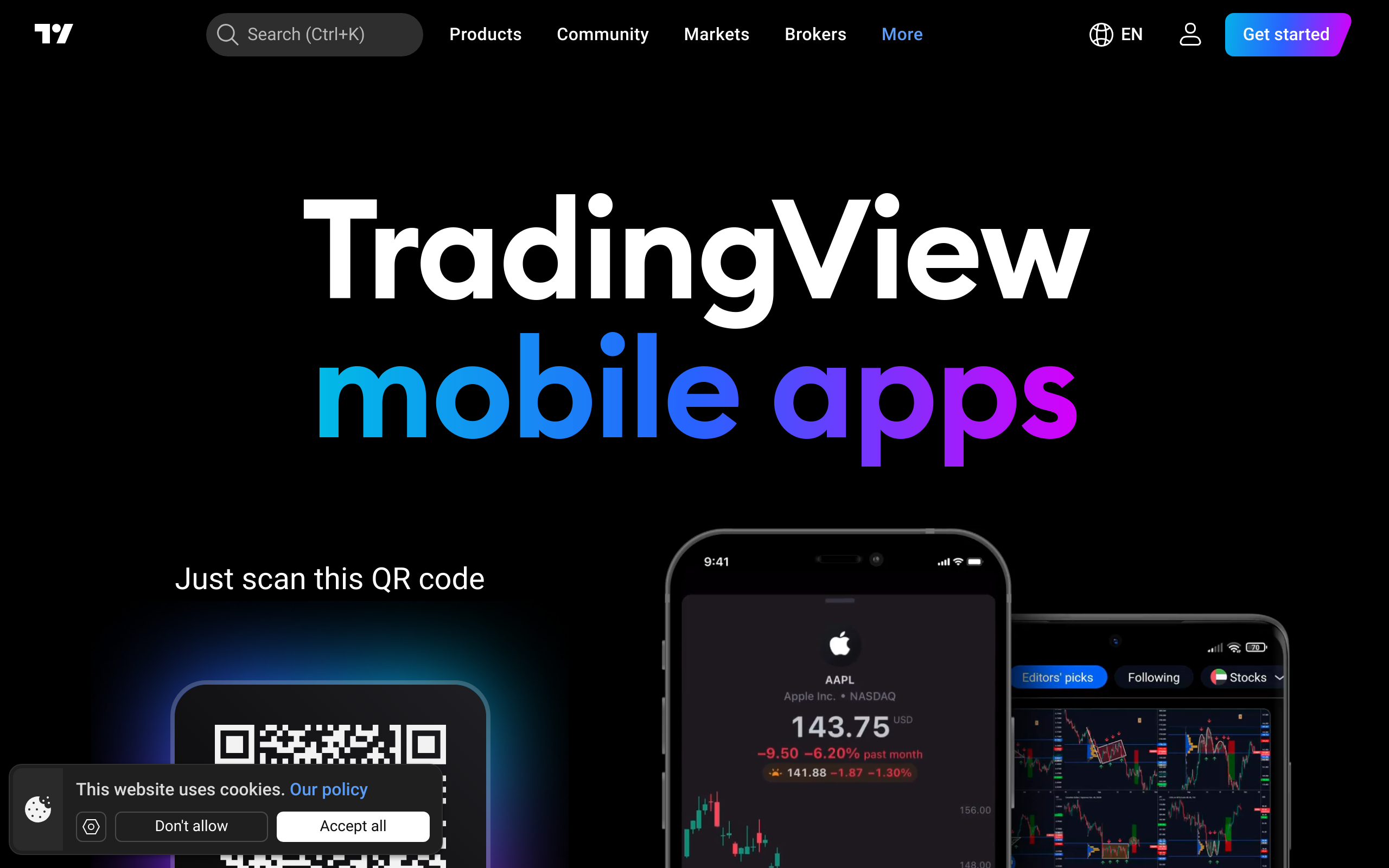
TradingView in a nutshell
Charting benchmark
The browser-based charting standard for retail traders globally — 100M users, Pine Script, and coverage across every major asset class.
Support red flag
Trustpilot score of 1.5/5 from 1,249 reviews is hard to ignore. The product works well — getting help when it doesn't is the documented problem.
Mobile excellence
4.8/5 from 379,395 App Store reviews puts the iOS app among the highest-rated financial apps available.
Free tier is real
No credit card, no trial expiry — the free plan gives genuine access to charting, screeners, and community features.
Data costs stack
Real-time exchange feeds are add-ons. Traders needing live CME and Eurex data pay beyond the base subscription price.
TradingView is the world's most popular charting platform — 100M+ users, 50+ exchanges, Pine Script, and a thriving community — but its Trustpilot score of 1.5/5 from 1,249 reviews flags real customer-support frustrations worth knowing.
Have you traded with TradingView?
Your rating goes straight into the community score. Click a star to vote — change it any time.
What other platforms say about TradingView
Reviews aggregated from 2 independent sources. Backed by 380,644 verified ratings.
Ratings auto-collected by the TraderJury agent; methodology →
Is TradingView right for you?
Best for
- Advanced chartists — 50+ drawing tools, continuous futures, replay mode, and deep customisation via Pine Script
- Algo developers — Pine Script backtester and community library of 100,000+ open-source strategies
- Multi-asset traders — real-time data across stocks, forex, futures, crypto, options, and bonds on a single platform
- Community-driven researchers — 100 million users publishing ideas, analysis, and scripts in a live social feed
- Mobile traders — iOS app rated 4.8/5 with full charting and alert functionality
Avoid if
- Traders who rely on responsive customer support — Trustpilot score of 1.5/5 from 1,249 reviews reflects persistent support delays and unresolved issues
- Traders who need real-time data without additional cost — real-time feeds for most exchanges require paid subscription add-ons
- Non-technical traders seeking pre-built automation — Pine Script customisation requires coding; limited no-code automation options
- Traders who want execution directly from the platform — TradingView is a charting interface; order execution depends entirely on your connected broker
Trust score breakdown
Dimensions our methodology weighs when judging a brand's safety.
- Company history4.5 / 5 · Excellent
Founded 2011, continuously developed across desktop, web, and mobile with no major incidents; established as the dominant retail charting platform.
- Transparency3.5 / 5 · Good
Public roadmap, regular blog updates, and documented data-feed partnerships; however, support-channel responsiveness is not transparently disclosed.
Charting features
Capabilities you'll lean on as a technical trader.
- Chart types
- candlestick, bar, line, area, renko, kagi, point_figure, heikin_ashi, hollow_candle, baseline, close, open, high, low, hl2, hlc3, ohlc4
- Indicators
- 100
- Drawing tools
- 110
- Multi-chart
- Replay mode
- Alerts engine
- Screenshot export
- —
- Watchlists
Scripting & automation
Languages supported for custom indicators and strategies.
- Pine ScriptBacktesterMarketplace →
Asset coverage
Tradable instruments per asset class.
Trading platforms
Supported clients and automation features per platform.
| Platform | Win | Mac | Web | iOS | Android | EAs | Copy | 1-click | Indicators |
|---|---|---|---|---|---|---|---|---|---|
| TradingView Web | ✓ | ✓ | ✓ | — | — | — | — | — | — |
| TradingView Mobile (iOS) | — | — | — | ✓ | — | — | — | — | — |
| TradingView Mobile (Android) | — | — | — | — | ✓ | — | — | — | — |
Platform screenshots
A look at the TradingView trading interface.
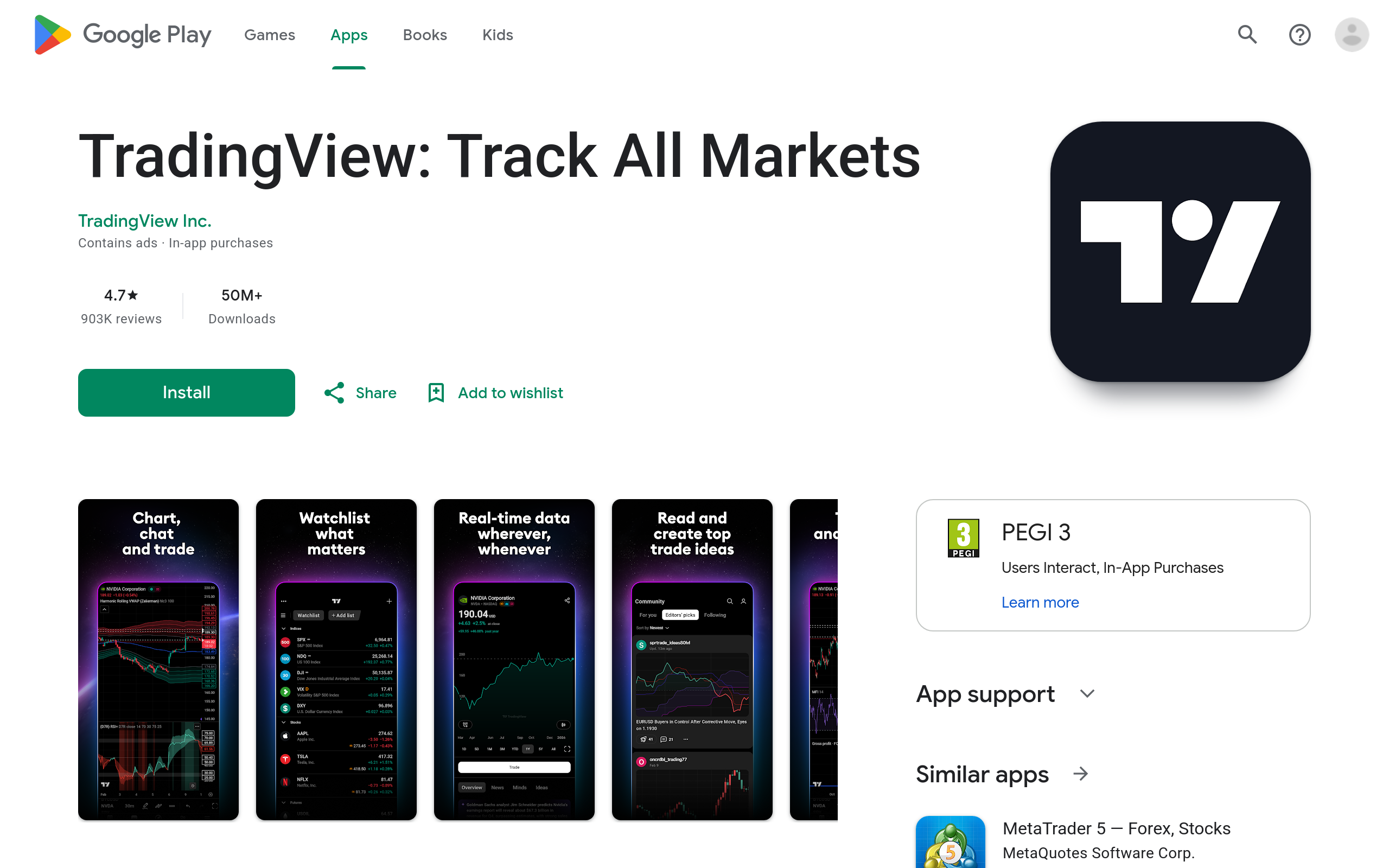
Mobile app
App store ratings checked May 2026.
Customer support
Supported languages: en, fr, id, it, ja, pl, ru, es, tr
| Channel | Languages |
|---|---|
| Ticket system | en, fr, id, it, ja, pl, ru, es, tr |
| en, fr, id, it, ja, pl, ru, es, tr |
Pricing
3.5 /5Genuinely free tier with no credit card required; paid tiers add real value but real-time data costs stack up.
Pros
- Free tier with no credit card required and no time limit
- Real-time Eurex data available from £2/month
- Crypto payment options (BTC, ETH, USDT, USDC) alongside card payments
Cons
- Real-time data for major exchanges sold as paid add-ons on top of subscription cost
- Advanced layout and indicator features locked behind higher-tier plans
- Total cost for a fully-featured real-time setup can exceed the headline subscription price
Read more about Pricing
Charting
5.0 /5Best-in-class browser-based charting with deep exchange coverage and continuous futures support.
Pros
- Continuous futures with back-adjustment for clean historical analysis
- Open Interest overlay for CME futures in one click
- Settlement vs last price toggle on daily charts
- Heatmaps for stocks, ETFs, and crypto built in
- Wide timeframe selection across all asset classes
Cons
- Multiple chart layouts per tab require a paid subscription
- Number of indicators per chart capped on free tier
Read more about Charting
Data quality
4.5 /5Broad global exchange coverage with real-time add-ons priced accessibly for non-professionals.
Pros
- Real-time CME futures from £7/month for non-professionals
- Real-time Eurex futures from £2/month for non-professionals
- CEX and DEX crypto pair coverage with dedicated screeners
- Reference data from FactSet and ICE Data Services
- Earnings and dividend calendars included free
Cons
- Real-time data for most exchanges requires paid add-ons beyond the base subscription
- Some regional exchanges may carry delayed data on lower tiers
Read more about Data quality
Order execution
3.5 /5Execution is handled by connected brokers — TradingView provides the interface, not the fill.
Pros
- 20+ broker integrations covering forex, CFDs, futures, stocks, and options
- In-chart order placement without switching applications
- Broker ratings from verified clients visible before connecting
Cons
- Execution quality depends entirely on the connected broker
- Not all brokers support full order management within the platform
Read more about Order execution
Customisation
4.5 /5Pine Script gives technically capable traders deep customisation; non-coders are more constrained.
Pros
- Pine Script enables fully custom indicators, strategies, and screeners
- Large public library of community Pine scripts available free
- Alert conditions configurable on price, indicator values, and drawing levels
Cons
- Pine Script has a learning curve for non-programmers
- Indicator-per-chart limits on free and lower-paid tiers restrict customisation depth
Read more about Customisation
Community & research
5.0 /5The largest charting community in retail trading — 100 million users publishing and discussing ideas.
Pros
- 100 million users publishing and interacting on chart ideas
- Editors' picks and popularity rankings help surface quality content
- Real-time news feed across all major asset classes
- Verified broker reviews integrated into the platform
Cons
- High volume of community ideas means quality varies significantly
- No formal moderation tier distinguishing professional from retail analysis
Read more about Community & research
Education
4.0 /5Community-driven learning is strong; structured educational curriculum is limited.
Pros
- Community chart ideas serve as practical, real-market learning material
- Pine Script documentation supports self-directed learning for custom tools
- The Leap section targets newer traders with structured content
Cons
- No formal video course library or structured curriculum from TradingView directly
- Educational depth depends heavily on community content quality
Read more about Education
Customer support
2.0 /5Trustpilot score of 1.5/5 from 1,249 reviews signals persistent support issues that traders should factor in.
Pros
- Extensive help centre and community forum resources available
- Support available in multiple languages given global user base
Cons
- Trustpilot score of 1.5/5 from 1,249 reviews indicates widespread support dissatisfaction
- No phone support — ticket system is the primary escalation path
- Billing and account access disputes appear to be recurring pain points
Read more about Customer support
Frequently asked questions
Is TradingView free?
Yes. TradingView's free tier requires no credit card and includes browser and mobile charting, basic indicators, and community access. Paid tiers ($14.95–$299/month) unlock real-time data feeds, advanced charting features, and priority support.Can I trade directly on TradingView?
TradingView is a charting and analysis platform, not a broker. You connect it to a supported broker (70+ partners) to place orders. TradingView provides the interface; your broker handles execution, custody, and settlement.What markets does TradingView cover?
Stocks, ETFs, forex, futures, crypto (CEX and DEX), bonds, options, and indices across 50+ global exchanges including NYSE, NASDAQ, CME, Eurex, and major crypto venues.What is Pine Script and why does it matter?
Pine Script is TradingView's proprietary scripting language. It lets you build custom indicators, strategies, and alerts without coding knowledge barriers — though it has a learning curve. The community library hosts thousands of free and paid scripts.How strong is TradingView's mobile app?
The iOS app is rated 4.8/5 from 379,395 App Store reviews — among the highest ratings for financial apps. Android is also available. Both offer charting, alerts, and broker integration on the go.What's the catch with TradingView's customer support?
TradingView's Trustpilot score is 1.5/5 from 1,249 reviews, reflecting persistent complaints about slow response times and support ticket resolution. Support is available via help centre, community forums, and tickets in 9 languages.Can I backtest strategies on TradingView?
Yes. TradingView's Strategy Tester lets you backtest Pine Script strategies against historical data. Results show profit/loss, drawdown, and win rate — useful for validating ideas before live trading.How many users does TradingView have?
Over 100 million registered users, making it the largest charting community in retail trading. This scale means abundant published ideas, scripts, and peer discussion — but also a crowded feed.
Top alternatives
Other platforms our community rates highly — handy if TradingView isn't the right fit.
Take this review with you
Save the verdict for offline reference, or feed every source into NotebookLM and ask follow-up questions.
Trader reports
1 community vote on TradingView. Below: every report with a written comment.
No written reports yet. Submit yours above — it appears here once approved by editorial.
Reports stay public — only spam, scam promotion, and personal attacks get removed. Read the policy.
Not sure TradingView fits you?
Get a personalised match from every broker, prop firm, and platform we've reviewed.
Find my match