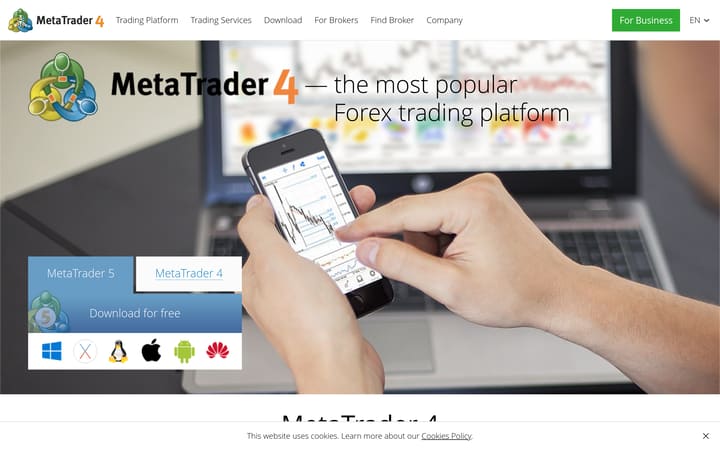
MetaTrader 4 is a mature forex and CFD platform with strong MQL4 automation, broad broker support, and a large add-on ecosystem. Its charting and Expert Advisor workflow remain useful, but prices, instruments, data quality, and trade execution all depend on the connected broker.
MetaTrader 4 is trading software, not a broker. A broker supplies the account, prices, instruments, margin rules, and order execution, while MT4 supplies the interface and automation layer. That distinction matters when comparing costs or safety: two brokers can offer the same platform with very different spreads, protections, and fill quality.
The platform covers the core retail workflow well. Its desktop terminal provides candlestick, bar, and line charts, built-in technical indicators, drawing tools, multiple chart windows, alerts, and common market and pending-order types. Web and mobile versions make account monitoring easier, although the full development and testing workflow remains centred on the desktop application.
Automation is MT4's main advantage. MQL4, MetaEditor, Expert Advisors, custom indicators, and the Strategy Tester support a large ecosystem of scripts and commercial tools. That flexibility also shifts more responsibility to the user. A marketplace listing, backtest, or seller screenshot does not establish forward performance, and any downloaded code should be reviewed and tested away from live funds first.
Execution statistics cannot be scored at platform level because orders are routed through the selected broker. Server location, liquidity arrangements, instrument settings, and slippage policies sit outside MetaQuotes' control. The same limitation applies to market coverage: MT4 was designed around forex and CFDs, but the symbols actually available come from the broker rather than a universal MT4 catalogue.
MT4 remains a practical choice for traders who need an established MQL4 workflow or a broker-specific integration that is unavailable elsewhere. Traders starting from scratch should compare it directly with MT5, cTrader, and browser-first charting platforms, especially if modern multi-asset tooling, richer native data, or a newer interface matters more than compatibility with older EAs.
Have you traded with MetaTrader 4?
Your vote contributes to the community average and headline rating immediately, from the first vote. Click a star to vote — change it any time.
What other platforms say about MetaTrader 4
Reviews aggregated from 3 independent sources.Backed by 1,020,082 source-reported ratings.
- 139 reviewsRead on trustpilot.comCollection date not recorded
- Read on apps.apple.comCollected: 2026-08-23
- 1.0M reviewsRead on play.google.comCollection date not recorded
External sources are weighted by their reported sample count, capped at 5,000 per source. Collection dates may differ;methodology →
Is MetaTrader 4 right for you?
Best for
- Traders who need MQL4 Expert Advisors or established MT4 broker integrations
- Forex and CFD traders who value a large third-party tool ecosystem
- Users who want desktop, web, and mobile access to the same broker account
Avoid if
- You expect the platform itself to set spreads, instruments or execution quality
- You prefer a modern browser-first interface and richer native multi-asset tools
- You intend to trust an Expert Advisor or marketplace result without independent testing
Evidence and transparency breakdown
Dimensions our methodology can assess from the evidence stored for this review.
- Company history5.0/ 5 · Excellent
MetaTrader 4 has been in continuous operation since 2000 and is used by 750+ brokers and banks serving millions of traders globally.
- Transparency3.0/ 5 · Mixed
MetaQuotes clearly states it is a software provider with no access to client accounts or trading history; however, Trustpilot ratings (1.9/5, 139 reviews) suggest user dissatisfaction, while app stores show much higher ratings (4.8/5 iOS, 4.6/5 Android).
Charting features
Capabilities you'll lean on as a technical trader.
- Chart types
- Candlestick, Bar, Line
- Indicators
- 30
- Drawing tools
- 24
- Multi-chart
- Alerts engine
Scripting & automation
Languages supported for custom indicators and strategies.
- MQL4BacktesterMarketplace →
Execution quality
Execution controls provided by the platform; live fills, latency and slippage depend on the connected broker.
- Order types
- Market, Limit, Stop
Mobile app
These stored app ratings also contribute to the external score above. Collected: Aug 2026. They are snapshots, not live store ratings.
Customer support
Supported languages: Chinese, English, French, Japanese, Portuguese, Russian, Spanish
- Official documentation
- Broker support
Pricing
4.0 /5The platform software is available without a separate platform subscription for most retail users.
Pros
- No separate platform subscription for most retail users
Cons
- Total cost cannot be compared without selecting a broker
Charting
3.7 /5MT4 provides the established charting tools needed for common forex and CFD workflows.
Pros
- Built-in indicators and drawing tools
- Multi-chart desktop layouts
Cons
- Older interface and fewer native chart styles than newer rivals
Data quality
3.0 /5The broker supplies MT4's live and historical market data.
Pros
- Local history can support testing and analysis
Cons
- No universal MT4 data feed
Order execution
3.0 /5MT4 supports common retail order types, but the broker executes them.
Pros
- Familiar order-entry workflow
Cons
- Execution quality depends on the broker, with no platform-wide figures
Customisation
4.6 /5MQL4 and Expert Advisors make MT4 highly customisable.
Pros
- MQL4 development environment
- Large Expert Advisor ecosystem
Cons
- Third-party code needs independent review
Community & research
4.2 /5The integrated Market and Signals ecosystem expands the platform beyond its built-in tools.
Pros
- Large add-on and signals ecosystem
Cons
- Marketplace presence does not verify performance
Education
3.8 /5Official documentation explains the platform, MQL4, and automation workflow.
Pros
- Official platform and programming documentation
Cons
- Documentation is not a trading curriculum
Customer support
3.0 /5Platform help and community resources exist, while account support belongs to the broker.
Pros
- Official software documentation
Cons
- No single support desk for broker-account issues
Frequently asked questions
Is MetaTrader 4 a broker?
No. MT4 is trading software. The connected broker holds the account and sets instruments, pricing, margin, and execution conditions.Can MetaTrader 4 run automated strategies?
Yes. MT4 supports Expert Advisors, custom indicators, MQL4 development, and strategy testing through its desktop tooling.Is MetaTrader 4 available on mobile?
Yes. Official iOS and Android applications are available, alongside desktop and web access.Does every MT4 broker offer the same markets?
No. The connected broker decides which symbols and asset classes appear, as well as their trading conditions.Are MT4 marketplace results verified by TraderJury?
No. Seller pages, backtests, and signal histories are not treated as proof of future performance.
Compare MetaTrader 4 directly
Compare features, costs and practical differences side by side.
Top alternatives
Other reviewed services to compare if MetaTrader 4 isn't the right fit.
Trader reports
No trader reports for MetaTrader 4 yet — be the first to share your experience above.
No written reports yet. Submit yours above — it appears here once approved by editorial.
Reports stay public — only spam, scam promotion, and personal attacks get removed. Read the policy.
Pick two and compare
Spread, leverage, regulation, payout — same row, side by side.
Build your own