cTrader in a nutshell
Trading platforms
cTrader
App-store ratings
iOS 4.7/5 · Android 4.7/5 (stored snapshots)
cTrader is a trading platform with depth-of-market tools, integrated copy trading, and automated-strategy support. Automation: Python and C# · Mobile app rating: 4.6/5.
cTrader is a broker-connected trading platform rather than a brokerage account. The software provides charting, order entry, automation, copy trading, and market-depth tools, while the chosen broker determines available instruments, spreads, commissions, margin rules, and the quality of live execution.
Its charting workspace is one of the stronger parts of the product. Official documentation covers eight chart types, custom indicators, multi-chart layouts, depth of market, and common market, limit, stop, and stop-limit orders. One-click controls support active workflows, but no platform feature can remove broker-side latency, liquidity, or slippage.
Automation is available through Python and C#, with custom indicators, cBots, backtesting, and API access. This is more approachable for developers already working in those languages than a platform-specific language may be. Backtests remain sensitive to the data, spread assumptions, and execution model used, so a successful test is not treated as a forward result.
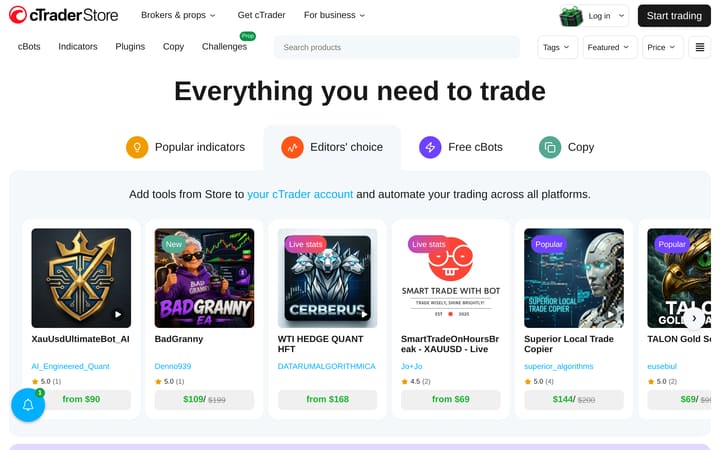
cTrader Copy is integrated into the wider platform and gives users a separate route for following strategies. The catalogue size and provider statistics help discovery, but each strategy still needs its own drawdown, history, fee, and risk review. Copying changes position sizing and execution; it does not reproduce a provider account perfectly.
The platform is best suited to traders who value depth-of-market views, flexible charting, or Python and C# automation and already have a compatible broker. Anyone comparing cTrader with MT5 or TradingView should start with broker availability and total trading cost, then test the exact desktop, web, or mobile workflow they expect to use in practice.
Have you traded with cTrader?
Your vote contributes to the community average and headline rating immediately, from the first vote. Click a star to vote — change it any time.
What other platforms say about cTrader
Reviews aggregated from 2 independent sources.Backed by 28,779 source-reported ratings.
- Read on apps.apple.comCollected: 2026-08-30
- 28.8k reviewsRead on play.google.comCollected: 2026-08-30
External sources are weighted by their reported sample count, capped at 5,000 per source. Collection dates may differ;methodology →
Is cTrader right for you?
Best for
- Developers building automated strategies or custom indicators in Python and C#.
- Active traders who use depth-of-market tools and multi-chart layouts.
- Traders who want integrated copy trading alongside manual trading.
Avoid if
- Traders who need broker-independent pricing, instrument coverage or execution statistics; these depend on the broker connected to cTrader.
- Users who need phone support from the platform provider.
Charting features
Capabilities you'll lean on as a technical trader.
- Chart types
- Bar, Candlestick, Line, Dot, Heikin Ashi, HLC, Renko, Range
- Multi-chart
- Custom indicators
Scripting & automation
Languages supported for custom indicators and strategies.
- PythonBacktester
- C#Backtester
Execution quality
Execution controls provided by the platform; live fills, latency and slippage depend on the connected broker.
- Depth of market
- Order types
- Market, Limit, Stop, Stop-limit
Copyable strategies
Service-level availability and minimums. Returns appear only for an identified strategy and period.
| Name | Asset class | Avg return | Max drawdown | Followers | Min capital |
|---|---|---|---|---|---|
| 800 public strategies | — | — | — | — | — |
Mobile app
These stored app ratings also contribute to the external score above. Collected: Aug 2026. They are snapshots, not live store ratings.
Archived App Store screenshot
Historical capture; the storefront, review count and rating may differ from the collected snapshot above.
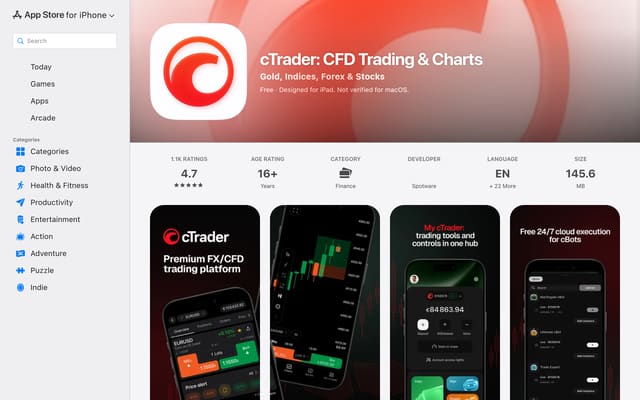 App Store listing
Archived Google Play screenshot
Historical capture; the storefront, review count and rating may differ from the collected snapshot above.
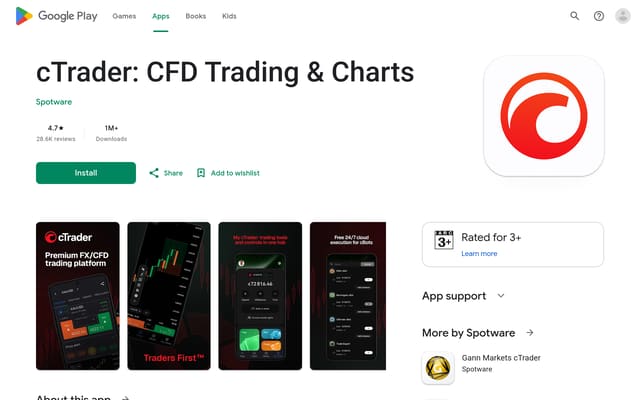 Google Play listing
Customer support
| Channel | Languages |
|---|---|
| Telegram | Available · Telegram |
| Discord | Available · Discord |
Pricing
3.5 /5The official mobile app is free to download; live trading costs still depend on the connected broker.
Pros
- Official mobile app is free to download
Charting
4.0 /5Charting includes 8 chart types, custom indicators and multi-chart layouts.
Pros
- 8 chart types, including Heikin Ashi, Renko and Range
- Custom indicators supported
- Multi-chart layouts
Data quality
3.5 /5Depth-of-market data supported; the connected broker or data provider still determines the live feed.
Pros
- Depth-of-market data supported
Order execution
3.5 /5Depth-of-market execution view and One-click order entry. Actual fills and latency remain broker-dependent.
Pros
- Depth-of-market execution view
- One-click order entry
Customisation
5.0 /5Automation in Python and C#, Custom indicators, Automated strategies supported, and Strategy backtesting.
Pros
- Automation in Python and C#
- Custom indicators
- Automated strategies supported
- Strategy backtesting
- Trading API access
Community & research
4.0 /5Integrated copy or social trading, 800 copy strategies indexed, and Economic calendar.
Pros
- Integrated copy or social trading
- 800 copy strategies indexed
- Economic calendar
Education
3.8 /5cTrader provides an official help centre and developer documentation.
Pros
- Official help centre and developer documentation
Customer support
3.5 /5Support via telegram, discord, and email.
Pros
- Email support
- Community channel (Discord / Telegram)
Frequently asked questions
Is cTrader a broker?
No. cTrader is a trading platform; pricing, available instruments and live execution quality depend on the broker connected to it.Which programming languages does cTrader support?
cTrader supports automated-strategy and custom-indicator development in Python and C#.Does cTrader include copy trading?
Yes. cTrader Copy is built into the platform and lets you copy strategies from other traders automatically.
Top alternatives
Other reviewed services to compare if cTrader isn't the right fit.
Trader reports
No trader reports for cTrader yet — be the first to share your experience above.
No written reports yet. Submit yours above — it appears here once approved by editorial.
Reports stay public — only spam, scam promotion, and personal attacks get removed. Read the policy.
Pick two and compare
Spread, leverage, regulation, payout — same row, side by side.
Build your own